 MVP in progress
Case study · Web app · AI
Jacana Designer: custom sportswear in five steps.
Jacana dresses athletes with custom apparel. We built the app their clients use to choose a garment, set their brand colors and turn a visual reference into generated artwork — previewed on front and back mockups, with the logos placed on each side and the result saved in their own design library.
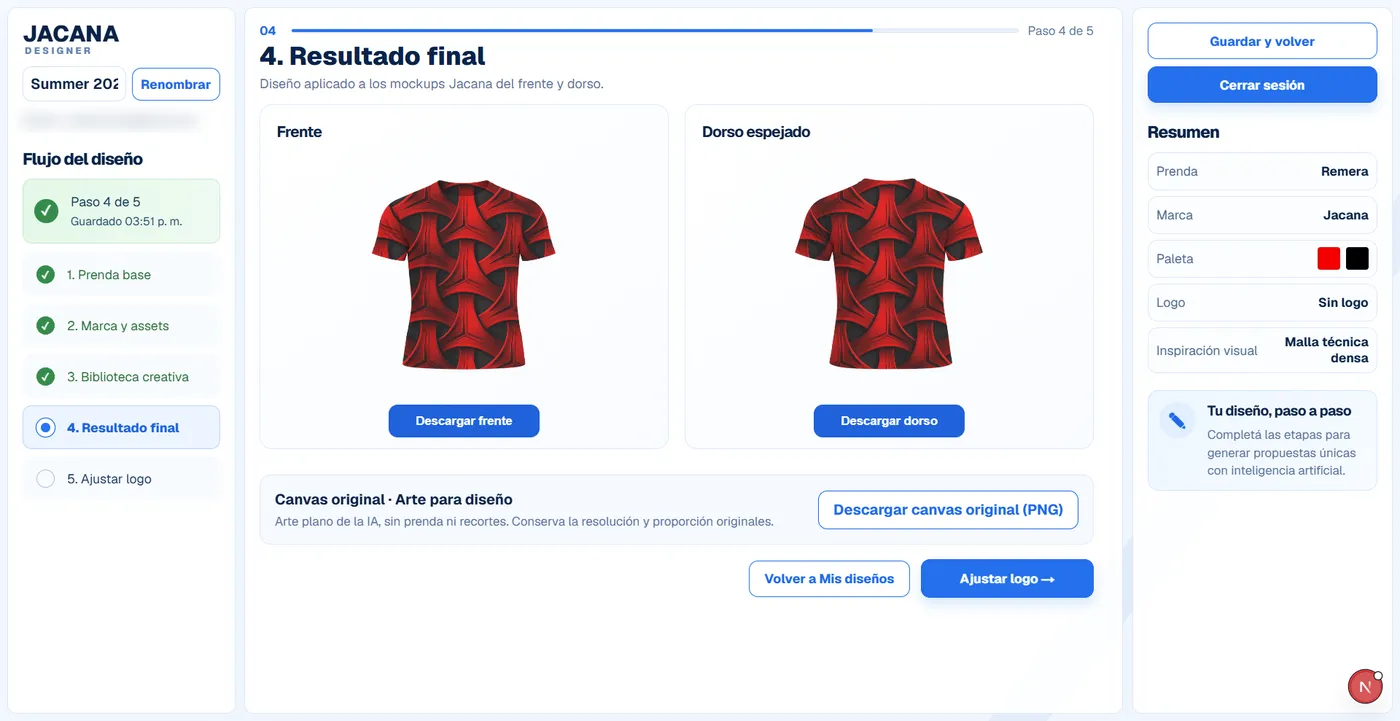
The flow
Click through the steps.
Start with a T-shirt or a sleeveless top, add a brand name and colors, then choose a visual direction. Drafts save automatically, and a live summary keeps every choice in view.
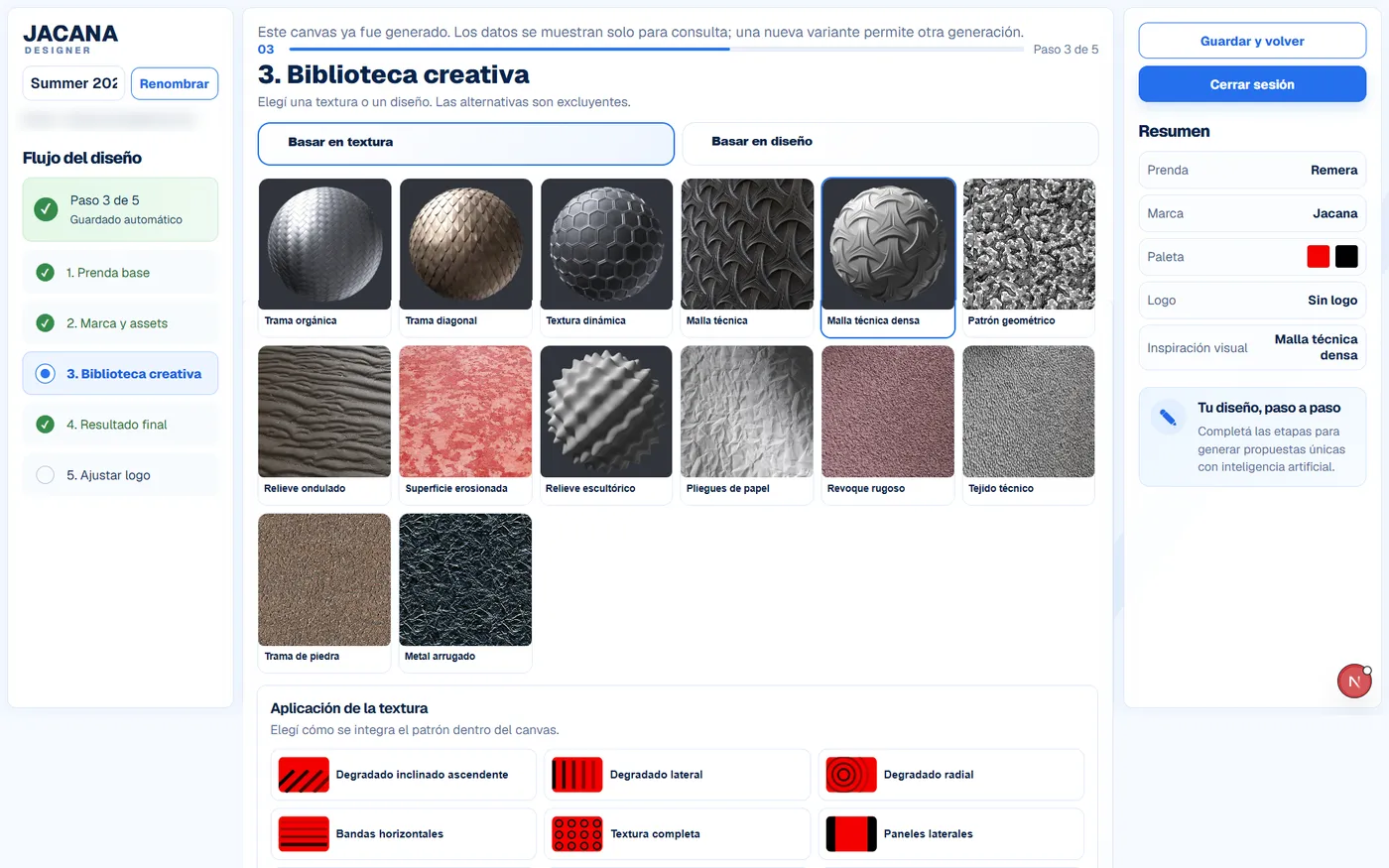
Creative library
Choose a texture and how it is applied, or start from an existing design as a reference. That and the palette are the brief the model works from.
- 14 textures, from technical mesh to crumpled metal
- 10 application options, automatic placement included
- Or an alternative path, based on reference designs
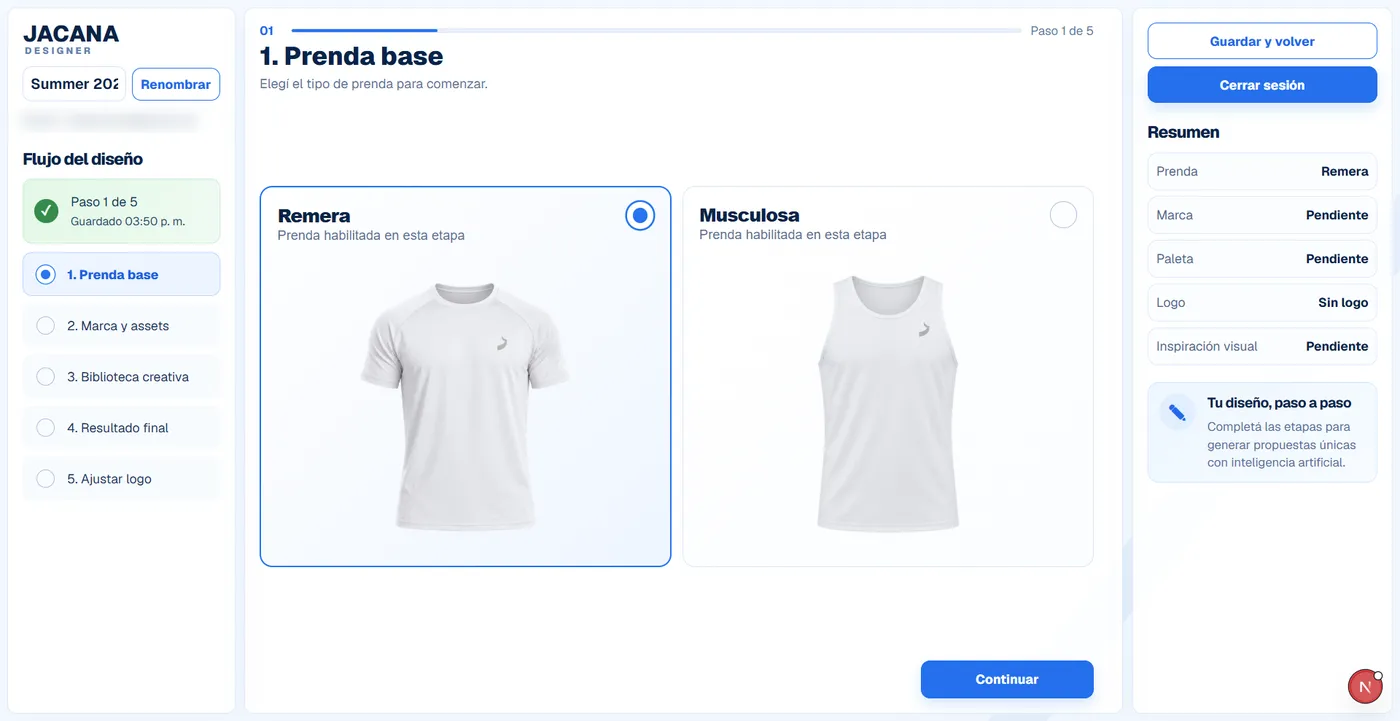
Base garment
Start from a T-shirt or a sleeveless top. Each base comes with real product mockups.
- T-shirt and sleeveless top bases
- A live summary of the choices so far
- Drafts saved automatically, resume any time
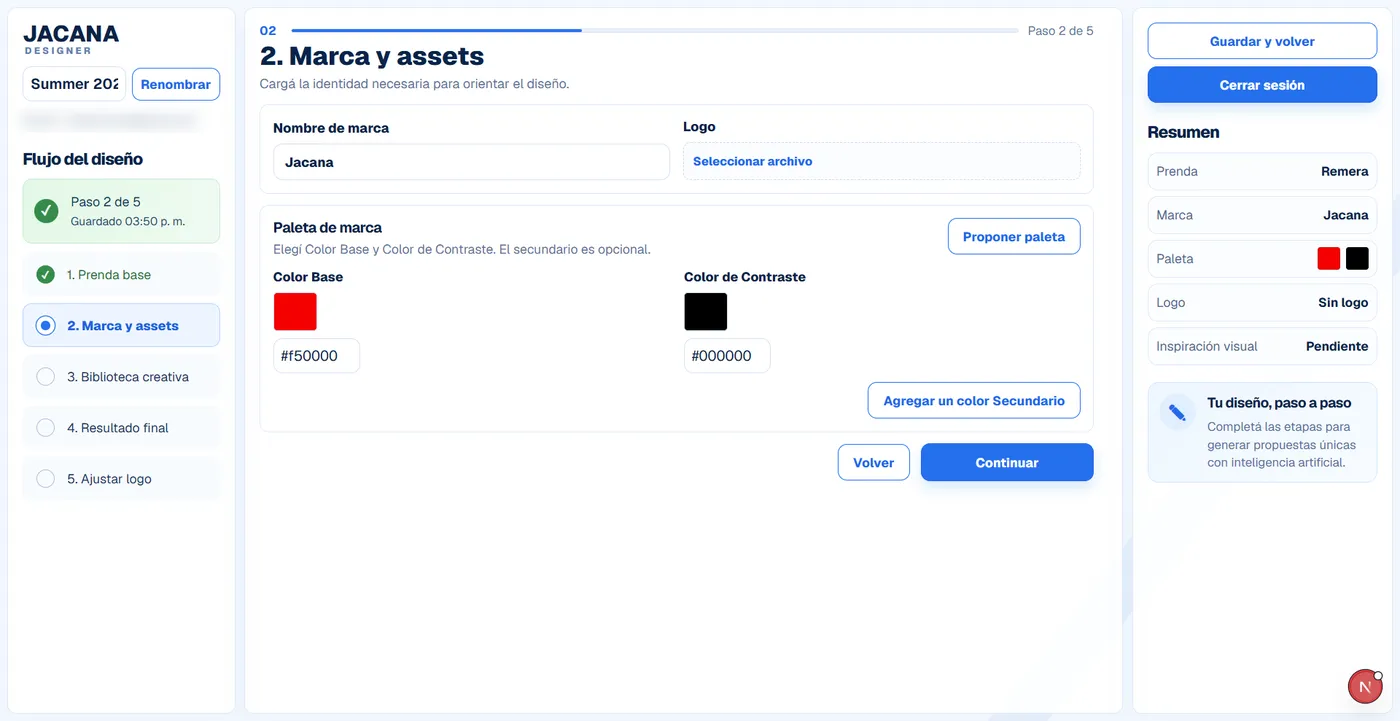
Brand & assets
Add the brand name, upload the logo and set the palette, or take one of the suggested combinations.
- Base, contrast and optional secondary colors
- Suggested palette combinations, one click
- Logo upload with format checks
Creative library
Choose a texture and how it is applied, or start from an existing design as a reference. That and the palette are the brief the model works from.
- 14 textures, from technical mesh to crumpled metal
- 10 application options, automatic placement included
- Or an alternative path, based on reference designs

Design proposal
The palette and the visual reference go to the model, and the artwork comes back applied to the front and the back.
- Two garment views, front and back
- Download each view as a PNG
- The flat artwork available on its own
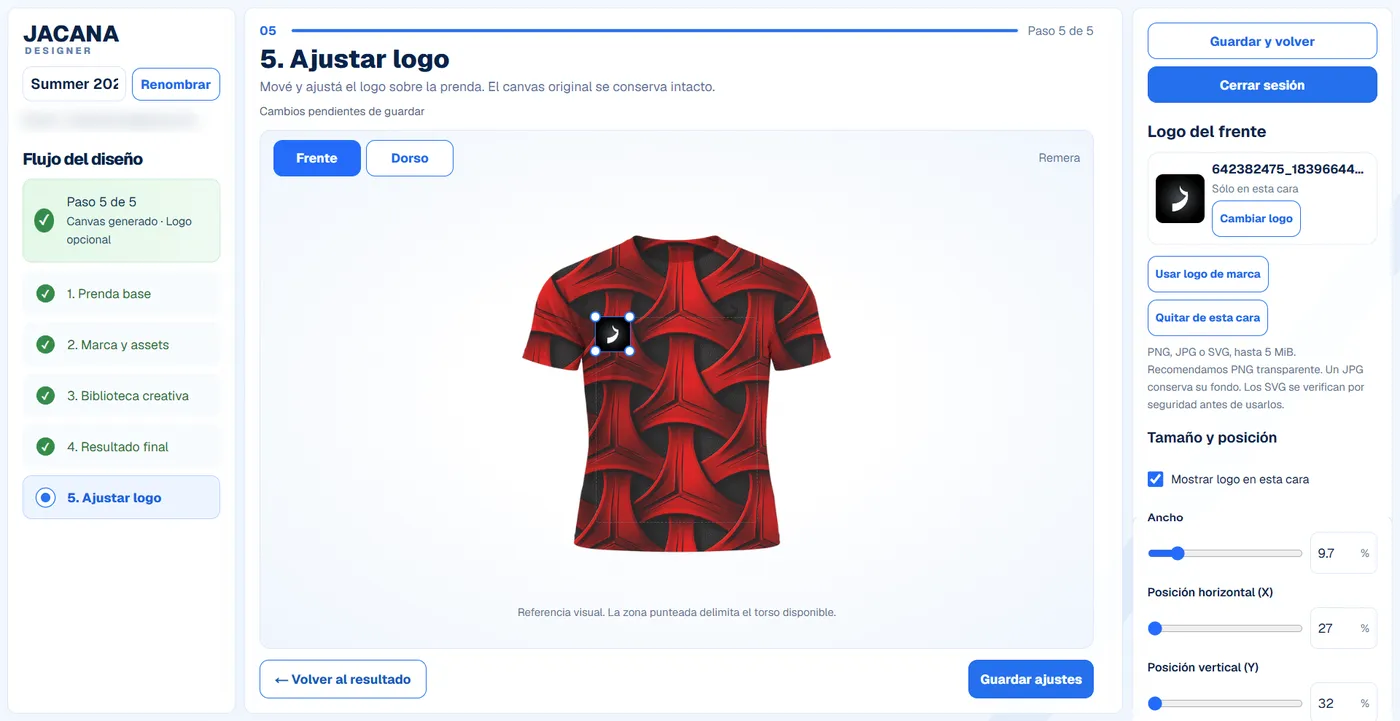
Adjust logo
Place the logo on each view independently. The generated artwork underneath stays untouched.
- Front and back placed one at a time
- Drag, or move it with the arrow keys
- PNG, JPG or SVG up to 5 MB, SVGs sanitized
Design decisions
Why it works for non-designers.
The flow breaks apparel design into familiar choices: garment, brand, colors and inspiration. Jacana’s clients are coaches and team managers, and they can shape a proposal without learning a design tool.
Guided from the start
Most people freeze in front of an empty editor. Small, focused steps take a client from the garment to a saved result, and drafts save on their own so they can stop and come back.
AI with a clear brief
Clients set their palette, with suggested combinations if they want them, and pick a visual reference. The model generates the base artwork; the client places the logos.
A result to share and build on
Front and back mockups download as PNGs, with the flat artwork separately. Saved proposals stay in "My designs", to revisit or to start a variant from.